
Understanding tax is important when pricing products, managing invoices, or planning expenses. This tool helps you quickly calculate value-added tax in a clear and simple way so you can see total cost, tax amount, and final price without manual effort or confusion.
How This Calculator Works
Two things happen with VAT in real life. Either you know a price before tax and need to show the right total on an invoice — or you received a payment that already contains VAT and need to work out how much of it goes to the tax authority.
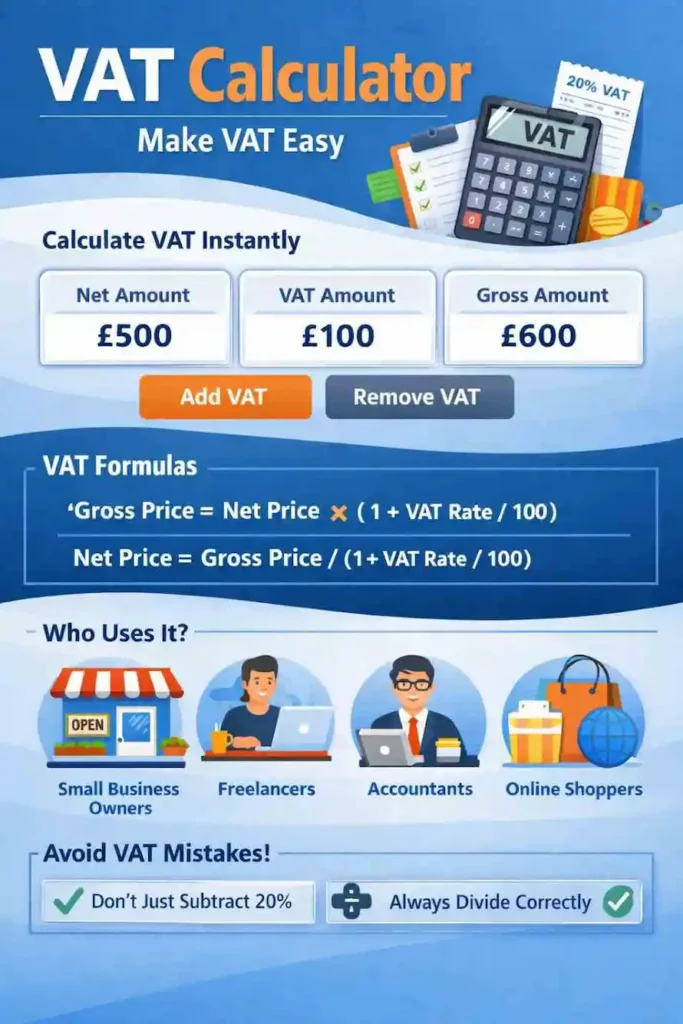
This calculator handles both. Switch between Add VAT and Remove VAT depending on what you’re starting with. It works for any rate, any currency, and any amount.
The Error That Costs People Money
There is one mistake with VAT calculations that appears constantly, and it is not obvious until someone explains it clearly.
Say you received £1,200 from a client and VAT was included at 20%. The instinct is to multiply £1,200 by 0.20 and get £240. But the actual VAT inside that £1,200 is £200 — not £240.
The reason is simple once you see it. The 20% was originally applied to the net price, not the gross. When you multiply the gross by 0.20, you are calculating 20% of a number that already contains VAT — which inflates the result.
Why Division Is the Only Correct Method
To extract VAT from a gross total, you divide by 1 plus the rate — not subtract the percentage.
£1,200 ÷ 1.20 = £1,000 net. VAT = £200.
If you had subtracted 20% instead, you would get £960 net — which is wrong by £40. Across fifty invoices a month that error compounds fast, and it will eventually show up in a VAT return that does not reconcile.
Adding VAT to a Net Price
When you quote a client before tax and need to show the VAT-inclusive total on the invoice, multiply the net amount by 1 plus the rate as a decimal.
Example: Consultant Invoice at 20%
A consultant charges £800 for a project. They are VAT-registered at 20%.
- Net: £800
- VAT (20%): £160
- Gross total: £960
At 15% the same project would be: £800 × 1.15 = £920 total. VAT = £120.
The multiplier pattern always follows the same logic — 1.20 for 20%, 1.15 for 15%, 1.05 for 5%. Currency and country do not change the method.
Removing VAT from a Gross Total
This is called working backwards from a VAT-inclusive price, and it comes up more often than people expect — reconciling receipts, checking supplier invoices, or separating income from VAT before filing a return.
The method: divide the gross by the same multiplier you would have used to add VAT in the first place.
Example: Retail Price Tag
A £85 price tag at a UK retailer contains VAT. To find out what is inside:
- Gross: £85.00
- Net: £70.83
- VAT (20%): £14.17
This matters for business owners reconciling receipts, accountants processing expense claims, and anyone who needs to understand what they actually paid versus what went to HMRC.
VAT Refunds — What Travellers Actually Get Back
Many tourists shopping in France, the UK, or other high-VAT countries assume they will get their full 20% back. The actual figure is considerably lower, and the calculation explains why.
How the Refund Maths Works
When something costs €100 before VAT, the total with 20% added is €120. The €20 VAT is 20% of the net price — but it is only 16.66% of the €120 you actually paid. So even before any fees, the maximum refund on a €120 purchase is €20.
After processing fees charged by refund operators — which typically run between 10% and 30% of the VAT amount — most travellers recover somewhere between 10% and 15% of their total purchase price.
Who Qualifies in France
To claim a VAT refund in France you need to be a non-EU resident, be at least 16 years old, have spent a minimum of €100.01 in a single store, and have the goods with you when you leave EU territory. The PABLO electronic system at French airports handles the validation — you scan your refund form at the kiosk before passing through security.
The Remove VAT mode in this calculator gives you the VAT element inside any purchase price — a useful starting point for estimating your refund before accounting for operator fees.
Quick Reference: Common VAT Amounts
| Net Amount | VAT at 15% | Total | VAT at 20% | Total |
|---|---|---|---|---|
| $100 | $15 | $115 | $20 | $120 |
| $500 | $75 | $575 | $100 | $600 |
| $1,000 | $150 | $1,150 | $200 | $1,200 |
VAT Rates by Country
| Country | Standard Rate | Notes |
|---|---|---|
| United Kingdom | 20% | Reduced rate 5% for some items |
| Germany | 19% | Reduced 7% for food, books |
| France | 20% | Reduced 5.5% for essentials |
| Italy | 22% | Reduced 10% and 4% rates |
| Spain | 21% | Reduced 10% for hospitality |
| Australia | 10% | GST, not VAT, same principle |
| UAE | 5% | Introduced 2018 |
| Japan | 10% | Consumption tax |
| Switzerland | 8.1% | One of Europe’s lowest |
| Hungary | 27% | Highest in EU |
VAT vs GST — Are They the Same Thing?
Structurally, yes. Both are multi-stage consumption taxes collected throughout the supply chain, where each business pays tax only on the value they added. The name changes by country — most of Europe calls it VAT, while India, Australia, Canada, and New Zealand call it GST.
The practical difference comes down to rates and registration thresholds. If you are dealing with invoices from GST-registered countries, our GST Calculator uses the same logic with the rates that apply in those regions.
VAT vs Sales Tax — Key Differences
They both tax consumption but work completely differently. VAT is collected at every stage of production — manufacturer to wholesaler to retailer — with each business reclaiming input tax and remitting only the difference. Sales tax is collected once, at the final point of sale.
The US has no federal VAT at all. Americans pay state-level sales tax, which varies by state and sometimes by county or city. US tariffs are entirely separate — those are import duties applied at the border, not a consumption tax.
Frequently Asked Questions
Why does my reverse VAT calculation give a different number depending on which method I use?
Because percentage subtraction and division are not mirror operations. If you add 20% to £100 you get £120. But £120 minus 20% of £120 is £96 — not £100. To reverse VAT correctly you must divide by the same multiplier that was used to add it. For 20%, divide by 1.20. For 15%, divide by 1.15.
What does VAT-inclusive mean?
The price already contains VAT. No additional tax is added at checkout. Retail prices in VAT-registered countries are almost always VAT-inclusive — the number on the tag is the total you pay.
How do I know whether to add or remove VAT?
If the amount you have is before tax and you need the total a customer should pay — add VAT. If the amount you have is the final total and you need to find the tax inside it — remove VAT.
Can I use this calculator for a VAT refund estimate?
Yes, with one clarification. The Remove VAT result shows the VAT element inside your purchase price. For a tourist refund, your actual refund will be lower because refund operators deduct processing fees — typically 10% to 30% of the VAT amount. Use the result here as a ceiling, not an expected figure.
Why do different countries have different VAT rates?
Governments set VAT rates independently based on revenue needs, economic policy, and the goods or services they want to incentivise or discourage. Most countries also apply reduced rates to essentials like food, medicine, and children’s clothing.
Is there a VAT threshold before I have to register?
Yes. In the UK the threshold is currently £90,000 in any rolling 12-month period. Below it, you can trade without charging VAT — though you also cannot reclaim VAT on business purchases. Once you cross the threshold, registration becomes mandatory.
Looking for GST? Use our fast and accurate GST Calculator.